 Akrivos
What Is an Online Proxy? A Guide to Proxy Servers
An online proxy is a service that routes your web requests through an intermediary server before they reach their destination. Instead of connecting directly to a website, your browser sends the request to a proxy server, which forwards it to the destination server and returns the response. Depending on the proxy type and configuration, this process can help mask your original IP address, manage internet traffic, filter access to web pages, or improve performance.
You may encounter an online proxy when trying to access a website through a browser-based tool, when configuring proxy settings on a device, or when connecting to a private network at work. Although these services share the same basic concept, not all proxies work in the same way.
This guide explains what a proxy is, how a proxy server works, the most common proxy types, and the practical use cases that make proxies useful for individuals and businesses.
What Is a Proxy Server?
A proxy server is an intermediary between a client and another server. It receives requests from a user, application, or network, processes them according to its configuration, and forwards them to the appropriate destination.
Think of it as a middle point between your device and the internet. When you visit a website directly, your browser communicates with that website's web server. When you use a proxy, the request passes through the proxy first.
A proxy server typically has its own IP address. Consequently, the destination website may see the proxy's IP address instead of your original IP address. The amount of information hidden or exposed depends on the proxy configuration and the headers it forwards.
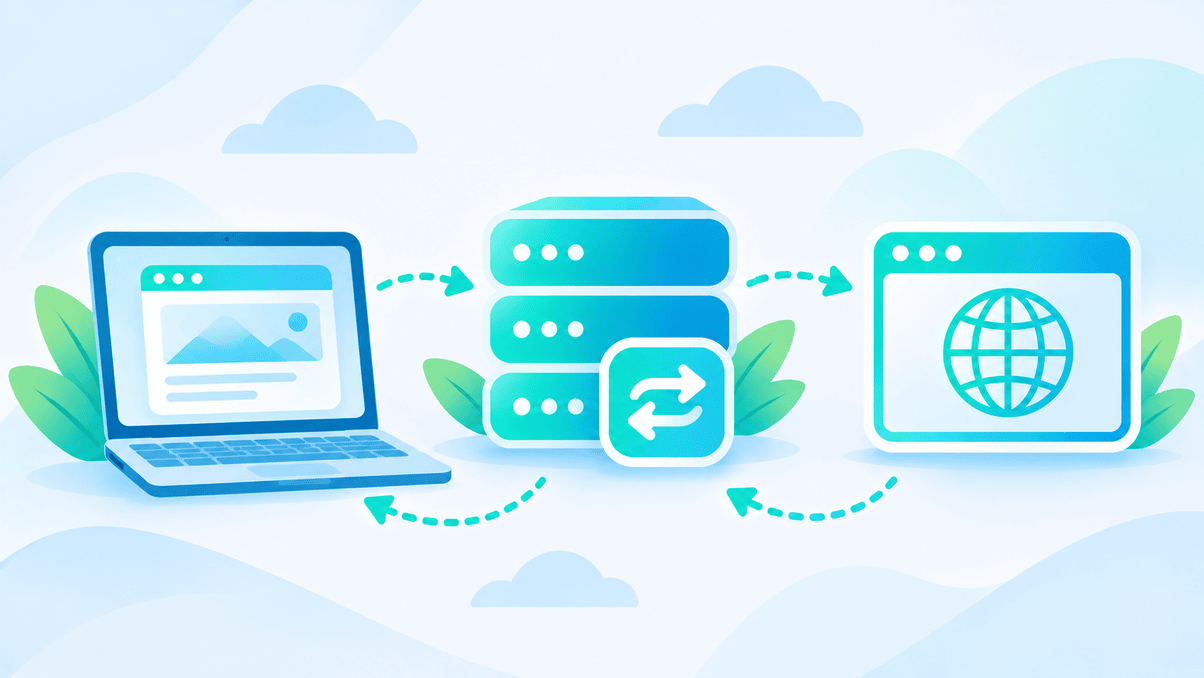
For example, imagine you want to visit a website. Your browser sends a web request to the proxy. The proxy contacts the website's server, receives the requested content, and forwards the response to your browser.
The proxy acts as an intermediary, but it does not automatically encrypt your connection or guarantee complete anonymity.
How Does a Proxy Server Work?
A proxy server works by receiving and forwarding requests between a client and a destination server. It can also inspect, filter, modify, or cache traffic, depending on its purpose.
Here is a simplified example of how the process works:
You make a request: You enter a website address in your browser or open an application that needs internet access.
The request reaches the proxy: Instead of going directly to the website, the request is sent to the configured proxy server.
The proxy processes the request: The server may check access rules, authentication details, filtering policies, or cached content.
The proxy contacts the destination: If the request is allowed and the content is not already available in its cache, the proxy forwards it to the destination server.
The website responds: The destination server sends the requested information back to the proxy.
The proxy returns the response: The proxy forwards the content to your browser or application.
In this arrangement, the proxy sits between the client and the destination server. It can control how requests are routed and what information is passed along.
The exact process depends on the type of proxy. A forward proxy handles requests on behalf of clients, while a reverse proxy receives requests on behalf of web servers.
What Is an Online Web Proxy?
A web proxy is a proxy service designed to let users access websites through an intermediary. It is commonly accessed through a browser-based interface, where you enter a destination URL and the service retrieves the requested web page.
A web proxy server handles the connection between your browser and the website you want to visit. Rather than connecting directly to the destination, your web request is routed through the proxy service.
For example, a browser-based proxy may let you enter a website address into a search field and load the requested page within the proxy interface. You do not necessarily need to install a separate application or change your device's network configuration.
Online proxies are often used for:
Accessing websites through an intermediary server.
Masking your original IP address from destination websites.
Testing how websites respond to requests from different network locations.
Managing access to web pages.
Browsing through a browser-based proxy interface.
If you want to explore browser-based access, BrowserProxy provides an online web proxy interface. You can also compare available options in our guide to the best free web proxies.
Keep in mind that a browser-based proxy may only handle the browsing session routed through its interface. It does not automatically redirect all internet traffic from your device.
What Are the Different Types of Proxy Servers?
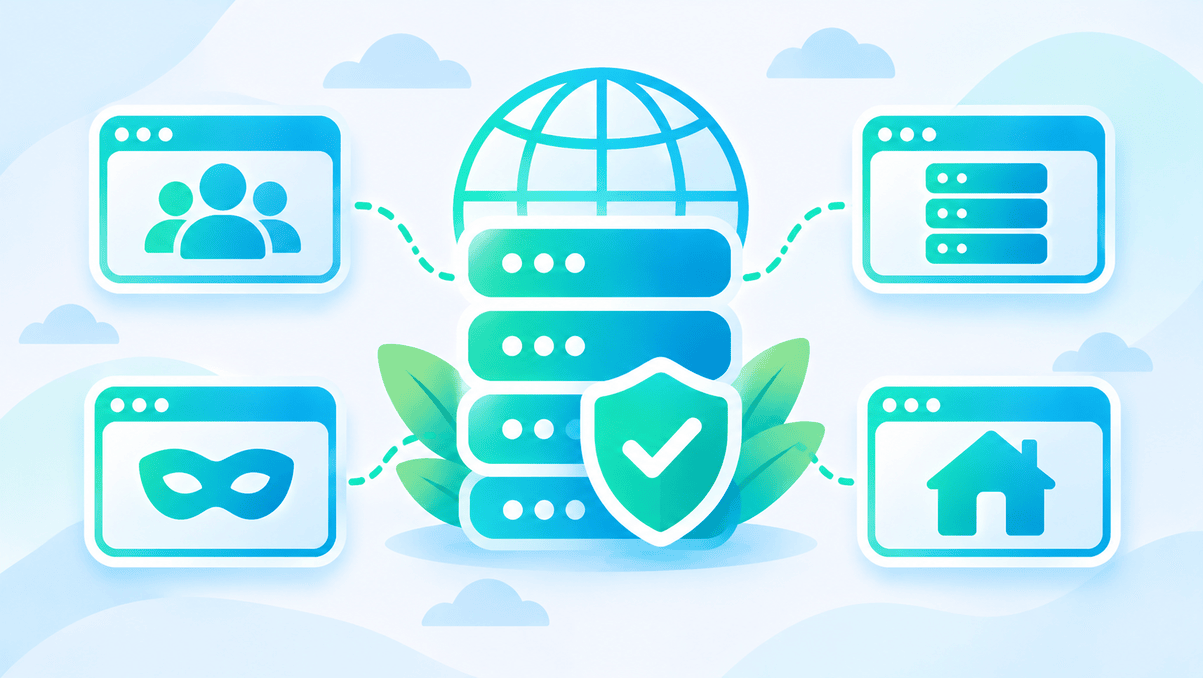
There are several types of proxy servers, each designed for a different use case. Some handle requests from individual users, while others protect web servers, manage network access, or provide different levels of IP address visibility.
Understanding the different types of proxy servers helps you choose an appropriate solution. Proxies can be classified by their network role, the protocols they support, how they identify themselves to destination websites, and the source of their IP addresses. These categories can overlap, meaning a single proxy may belong to several types. For a detailed overview, see Fortinet’s guide to the 12 different types of proxy servers.
1. Forward Proxy
A forward proxy sits in front of clients and handles their outgoing requests to websites or other internet services.
When you use a forward proxy, your device sends a request to the proxy server instead of connecting directly to the destination server. The proxy then forwards the request and returns the response.
Forward proxies are commonly used for:
Masking a user's original IP address.
Filtering internet traffic.
Controlling access to specific websites.
Managing browsing activity within an organization.
Routing requests through different network locations.
A browser-based web proxy is a familiar example of a forward proxy because it retrieves web pages on behalf of the user.
For a technical explanation, see MDN's guide to forward proxies.
2. Reverse Proxy
A reverse proxy works in the opposite direction. Rather than acting on behalf of clients, it receives incoming requests on behalf of one or more web servers.
A reverse proxy sits in front of the origin server or a group of backend servers. When someone visits a website, the request reaches the reverse proxy first. It then forwards the request to the appropriate server and returns the response to the visitor.
Reverse proxies are widely used by businesses that operate websites, applications, and online services.
Common use cases include:
Load balancing: Distributing incoming requests across multiple servers.
Caching: Storing frequently requested content to reduce repeated work.
Security: Hiding the origin server's address and filtering incoming requests.
TLS termination: Handling encrypted connections before forwarding requests internally.
Traffic management: Routing requests to different backend services.
For example, a website receiving thousands of requests may use a reverse proxy to distribute traffic across several web servers. This can improve reliability and prevent a single server from becoming overloaded.
Learn more in Cloudflare's explanation of reverse proxies.
3. Transparent Proxy
A transparent proxy intercepts and forwards requests without requiring users to manually configure their devices to use it.
Depending on its configuration, it may not hide the original IP address from the destination server. Organizations and network administrators commonly use transparent proxies to filter websites, monitor network traffic, or enforce browsing policies.
A transparent proxy can block access to specific websites or redirect requests according to predefined rules.
For more details, see RFC 3040's discussion of transparent proxies.
4. Anonymous Proxy
An anonymous proxy is designed to hide the user's original IP address from the destination website.
The website generally sees the proxy's IP address instead of the user's original address. However, the level of anonymity depends on whether the proxy reveals identifying information through HTTP headers or other request details.
Anonymous proxies do not necessarily encrypt internet traffic, so they should not be treated as a complete privacy or security solution.
Read Fortinet's explanation of anonymous proxy servers for more information.
5. Distorting Proxy
A distorting proxy identifies itself as a proxy but provides an incorrect or altered IP address in the information it forwards.
This can make the request appear to originate from a different address. Unlike a high-anonymity proxy, a distorting proxy may reveal that an intermediary is being used.
Learn more about this proxy type in Fortinet's guide to proxy servers.
6. High-Anonymity Proxy
A high-anonymity proxy, sometimes called an elite proxy, aims to avoid revealing both the user's original IP address and the fact that a proxy is being used.
It can remove or modify identifying headers that might otherwise disclose the client's original address. However, no proxy type guarantees complete anonymity in every situation.
For further information, see Fortinet's overview of high-anonymity proxies.
7. HTTP Proxy
An HTTP proxy handles requests using the HTTP protocol and is primarily designed for web traffic.
It can forward web requests, apply filtering rules, and sometimes cache content. HTTPS connections can also be handled through proxy tunneling, depending on the implementation.
An HTTP proxy is often used for browser traffic and website access, but it is not necessarily suitable for every application or network protocol.
See MDN's documentation on HTTP proxies and tunneling for a technical overview.
8. Residential Proxy
Residential proxies use IP addresses associated with residential internet connections. These addresses are generally assigned by internet service providers (ISPs) to residential customers.
They can be useful when a service needs requests to originate from residential IP addresses rather than conventional datacenter infrastructure.
Residential proxies may be offered as static or rotating services. A rotating proxy changes the IP address used for requests according to the provider's configuration.
For more information, see Rayobyte's residential proxy documentation.
9. Datacenter Proxy
Datacenter proxies use IP addresses hosted in data centers rather than residential internet connections.
They are commonly selected for speed, predictable infrastructure, and high-volume requests. Their IP addresses may be easier for some websites to identify as belonging to hosting or datacenter networks.
Explore Thunderproxy's documentation on datacenter proxies for more details.
10. Rotating Proxy
A rotating proxy automatically changes the IP address assigned to requests. Depending on the provider, the address may change after each request, after a set period, or according to a session configuration.
Rotating proxies can be useful for tasks that require multiple IP addresses, such as authorized website testing and large-scale data collection.
See Thunderproxy's guide to rotating residential proxies to understand how rotation and session settings work.
11. CGI Proxy
A CGI proxy is a browser-accessible web proxy that uses a Common Gateway Interface (CGI) script to retrieve pages on behalf of users.
The user enters a website address into a web form, and the CGI proxy fetches the requested page and returns it through the browser. It is one of the older approaches to browser-based web proxy access.
For an overview of CGI proxies and their role in browser-based access, see Browserless's guide to proxy types.
12. Suffix Proxy
A suffix proxy is a less common proxy approach in which a proxy service uses a special URL format or domain suffix to identify the destination website.
Instead of entering a destination into a separate proxy interface, a user may append a provider-specific suffix to a website address. Support and behavior vary between services, so this is not a universal proxy configuration.
For an overview of suffix proxies and other less common proxy types, see Browserless's explanation of proxy types.
What Can You Use a Proxy Server For?
The main use case for a proxy server is to act as an intermediary between a client and a destination. However, the practical benefits vary depending on whether the proxy is used for personal browsing, business networks, or website infrastructure.
Masking Your IP Address
A forward proxy can hide your original IP address from the websites you visit by forwarding requests through its own address.
This can be useful when you want websites to receive requests from a different IP address. However, the proxy provider may still be able to associate requests with your connection, and some configurations can expose identifying information.
For more details, see MDN's explanation of how forward proxies handle client IP addresses.
Managing Website Access
Organizations can use proxy settings to control which websites employees or other network users can access.
A proxy can block access to selected domains, filter requests, or apply policies based on user accounts and network rules. This is particularly useful in schools, offices, and managed private networks.
Learn more about Cloudflare's proxy endpoints and network access controls.
Testing Websites
Developers and businesses may use proxies to test how web pages behave when requests originate from different IP addresses or locations.
For example, a team can check whether a website displays localized content correctly or whether access rules work as intended.
See MDN's guide to proxy servers and tunneling for an overview of how proxies route requests between clients and destination servers.
Collecting Public Web Data
Some businesses use proxy servers as part of authorized data collection workflows. Rotating and residential proxies can distribute requests across different IP addresses.
However, using a proxy does not remove the need to respect website terms, privacy requirements, rate limits, and applicable laws.
For further context, see the AWS security guidance on open proxies and their potential misuse.
Improving Website Performance
Reverse proxies can improve performance by caching frequently requested content and distributing incoming traffic across multiple backend servers.
If a reverse proxy already has a cached copy of a requested image or page element, it may return that content without sending another request to the origin server.
Read MDN's explanation of reverse proxies, caching, and load balancing.
Protecting Web Infrastructure
A reverse proxy can help protect a web server by acting as the public-facing entry point for incoming requests.
It can hide the origin server's address, enforce access rules, filter suspicious requests, and work alongside other security tools. It can also help distribute traffic during periods of high demand.
For practical security recommendations, consult the Australian Cyber Security Centre's guidance on reverse web proxies.
What Are the Pros and Cons of Using a Proxy Server?
A proxy server can offer useful control over internet traffic, but it also introduces another service into the connection. Its benefits and limitations depend on the provider, configuration, and type of proxy.
Benefits of a Proxy Server
IP address masking: A forward proxy can prevent destination websites from seeing your original IP address.
Access management: Network administrators can restrict access to selected websites and services.
Performance: Caching can reduce repeated requests and improve response times.
Traffic distribution: Reverse proxies can distribute incoming requests across multiple web servers.
Testing flexibility: Businesses can test website behavior from different IP addresses and network locations.
Centralized control: Organizations can manage internet traffic through a shared proxy service.
Disadvantages of a Proxy Server
No automatic encryption: A standard proxy does not necessarily encrypt the connection between your device and the proxy.
Provider visibility: The proxy operator may be able to see connection information and, depending on the setup, aspects of your browsing activity.
Potential slowdowns: An overloaded or distant proxy can increase latency.
Compatibility issues: Some websites and applications may block proxy connections or refuse requests from known proxy IP addresses.
Privacy risks: Untrusted proxy providers may log activity, modify responses, or expose users to malicious content.
Configuration requirements: Some proxy types require manual setup, authentication, or technical knowledge.
A proxy should be selected based on the actual use case rather than the assumption that every proxy provides the same privacy, speed, or security benefits.
What Is the Difference Between a Proxy and a VPN?
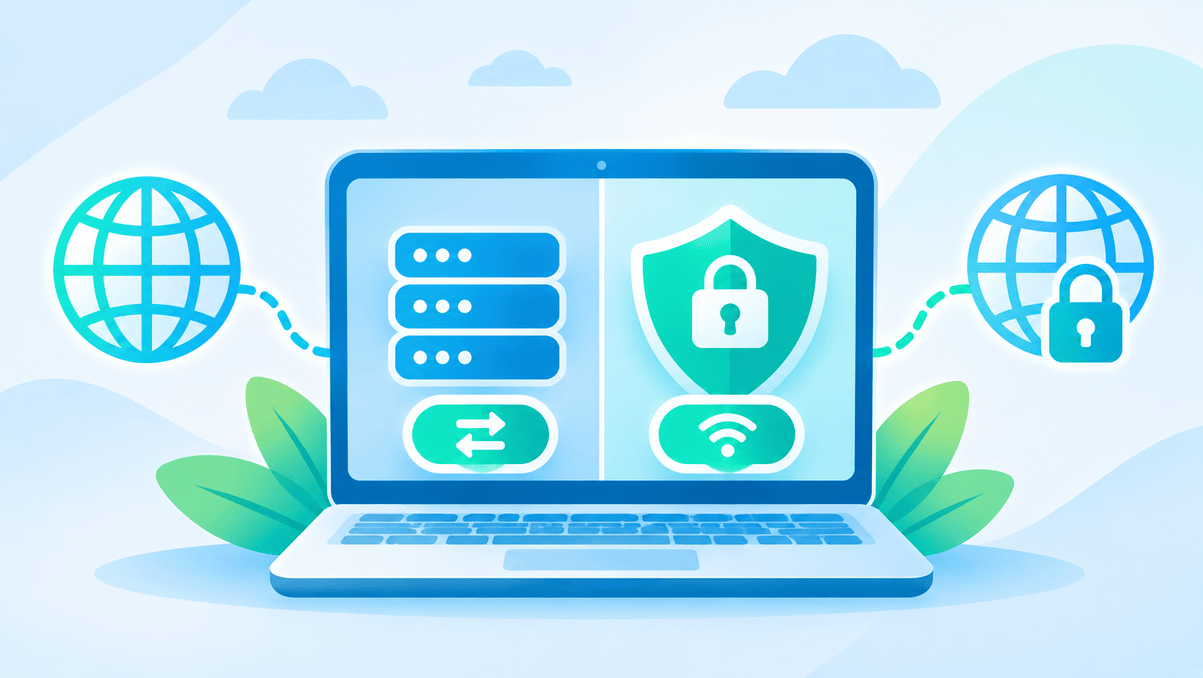
A proxy and a VPN both route internet traffic through an intermediary, but they differ in how they handle connections and protect data.
A typical proxy handles traffic for a particular application, browser, or configured connection. A VPN creates an encrypted tunnel between your device and the VPN provider, generally routing traffic from multiple applications through that connection.
Feature | Proxy | VPN |
|---|---|---|
Main purpose | Forward selected traffic through an intermediary | Route device traffic through an encrypted connection |
IP address masking | Yes, for traffic routed through it | Yes, for traffic routed through the VPN |
Encryption | Not guaranteed | Normally encrypts traffic between the device and VPN server |
Traffic coverage | Often application-specific | Usually device-wide, depending on configuration |
Setup | May require browser or network settings | Usually requires a VPN app or system configuration |
Common use | Web access, filtering, testing, and IP routing | Privacy, secure remote access, and network protection |
A proxy is useful when you only need to route specific web requests through another server. A VPN is generally more appropriate when you want broader device-level traffic protection.
Neither option makes you completely anonymous. Your provider, account activity, browser configuration, and other identifying information can still matter.
For more detail, see our guide to what a free web proxy is.
Is It Safe to Use an Online Proxy?
An online proxy can be safe to use, but the answer depends heavily on the provider and the type of information you send through it.
When you use a proxy, your requests pass through another server. That means you are placing some trust in the company or operator managing that service.
Before using a proxy, consider the following:
Choose a reputable provider: Look for clear information about the company, its service, and its privacy practices.
Understand its logging policy: Check whether the provider records browsing activity, connection details, or IP addresses.
Avoid sensitive transactions: Be cautious about entering banking credentials, payment details, or other sensitive information through an unfamiliar proxy.
Check HTTPS connections: Make sure the destination website uses HTTPS. A proxy does not automatically encrypt every connection.
Be careful with free services: Some free proxies may rely on advertising, collect user data, or provide unreliable infrastructure.
Understand the limitations: Hiding your IP address from a website is not the same as making all your internet activity private.
A trustworthy proxy service should explain what it does with connection data and what protections it provides. If those details are unclear, avoid using it for sensitive activity.
Frequently Asked Questions
1. What is an online proxy and how does it work?
An online proxy acts as an intermediary between your browser and the websites you visit. When you enter a web address, your request is sent to the proxy server, which forwards it to the destination website and returns the response. Depending on its configuration, the proxy may also replace your original IP address with its own. This allows you to access websites through another server rather than connecting directly. Learn more in MDN’s guide to proxy servers and tunneling.
2. What do people use online proxies for?
People use online proxies for several reasons, including accessing websites through a different IP address, managing browsing access, testing website availability from different locations, and filtering internet traffic. Businesses may also use proxy servers to monitor network activity, enforce browsing policies, or control access to external resources. The specific capabilities depend on the proxy type and provider. For a broader explanation, see Fortinet’s overview of proxy servers.
3. Is it safe to use an online proxy?
An online proxy can be useful, but its safety depends on the provider, connection security, and information you share. A proxy operator may be able to see certain connection details or record browsing activity. Standard proxies also do not automatically encrypt all your internet traffic. Avoid entering passwords, payment details, or other sensitive information through an unfamiliar service, and check its privacy policy before using it. The Electronic Frontier Foundation’s Surveillance Self-Defense guide offers practical advice on protecting your digital privacy.
4. What is the difference between a proxy and a VPN?
A proxy routes selected internet requests through an intermediary server, potentially changing the IP address visible to the destination website. A VPN generally creates an encrypted tunnel between your device and a VPN server, protecting the traffic routed through that connection. A proxy may be configured for a browser or specific application, while a VPN can cover broader device traffic. Neither option guarantees complete anonymity. Read AWS’s comparison of proxies and VPNs for more details.
5. Can an online proxy hide your browsing activity or IP address?
An online proxy can hide your original IP address from the destination website by forwarding requests through its own server. However, this does not necessarily make your browsing activity private. The proxy provider may still see connection information, and some proxies forward identifying details through HTTP headers. Websites may also use other signals to identify or recognize visitors. The level of anonymity depends on the proxy configuration. MDN explains how proxies forward client information.
6. Can an online proxy slow down your internet connection?
Yes. Using an online proxy can increase loading times because requests travel through an additional server before reaching their destination. Performance depends on the proxy server's location, available bandwidth, current traffic, and overall infrastructure. A distant or overloaded server may introduce noticeable latency, while a reliable proxy with sufficient capacity may have little impact on everyday browsing. Network routing and configuration also matter. For more information about network security and remote connections, consult NIST's Guide to Enterprise Telework and Remote Access Security.
7. Is being a proxy illegal?
Using a proxy server is generally legal in many countries, but the legality of a particular activity depends on local laws and what you do through the service. Proxies are commonly used for legitimate purposes such as network management, privacy, security testing, and accessing permitted online resources. Using one does not make otherwise illegal activities lawful, and bypassing certain restrictions may violate website terms or organizational policies. For general guidance on online privacy and digital safety, visit the Electronic Frontier Foundation's Surveillance Self-Defense resource.
8. Should I have proxy on or off?
Whether your proxy should be on or off depends on your network setup and what you need to access. If your workplace, school, or network administrator requires a proxy, keep the appropriate configuration enabled. If you configured one manually and no longer need it, disabling it may restore a direct connection. Be careful not to change managed network settings without permission, as doing so may affect connectivity. Google's documentation explains how administrators manage network settings in Chrome.
9. Why would hackers use a proxy server?
Hackers may use proxy servers to route their traffic through intermediary systems, making it harder to identify the original source of a connection. They may also use proxies to distribute requests, conceal infrastructure, or access services through different IP addresses. However, proxies are not inherently malicious: businesses and ordinary internet users also rely on them for legitimate network and privacy purposes. Security teams can use gateway controls and traffic monitoring to manage these risks. See the Australian Cyber Security Centre's gateway security guidance.
10. Can a website tell I'm using a proxy?
Yes, some websites can detect proxy connections. They may identify IP addresses associated with known proxy providers, examine connection patterns, or analyze request headers that reveal intermediary servers. Detection methods vary, and not every proxy is identified automatically. Some services may respond by displaying additional verification checks, restricting access, or blocking the connection. A proxy can change the IP address a website sees, but it does not guarantee that the connection will go unnoticed. Palo Alto Networks explains how proxy servers operate.
Conclusion: Choosing the Best Online Proxy for Your Needs
A proxy server can change how your internet traffic is routed, help mask your original IP address, and provide greater control over website access. From browser-based web proxies to residential and datacenter options, each type serves a different purpose.
If you want a straightforward way to access websites through an online interface, BrowserProxy is one option to consider. For more specialized requirements, compare proxy types, provider reliability, connection speeds, and privacy policies before making a choice. The best online proxy is ultimately the one that fits your use case without compromising the reliability and privacy you expect.