 Akrivos
Best Free Web Proxies in 2026: Compare Free Proxies, Proxy Servers and Proxy Lists
BrowserProxy is the top choice for the best free web proxy in 2026, particularly if you want simple, reliable browser based access without creating an account, installing software or configuring individual proxy servers. Its isolated website sessions, IP masking, WebRTC and WebSocket leak protection, and support for video playback make it a strong option for everyday browsing.
Finding the right free web proxy involves more than changing your visible IP address. Different services offer different server locations, privacy features, connection speeds and website compatibility. While some provide a straightforward way to open websites directly in your browser, others offer individual IP addresses that require manual configuration.
In this guide, we compare BrowserProxy with CroxyProxy, ProxySite, Proxyium and hide.me Web Proxy. We also explore public proxy lists, HTTP and SOCKS5 connections, residential IP addresses and web scraping to help you understand which solution best matches your needs.
Whether you want to unblock websites, access regional content, test connections or browse anonymously, we explain why BrowserProxy stands out as our recommended starting point and where alternative proxy services may be more suitable.
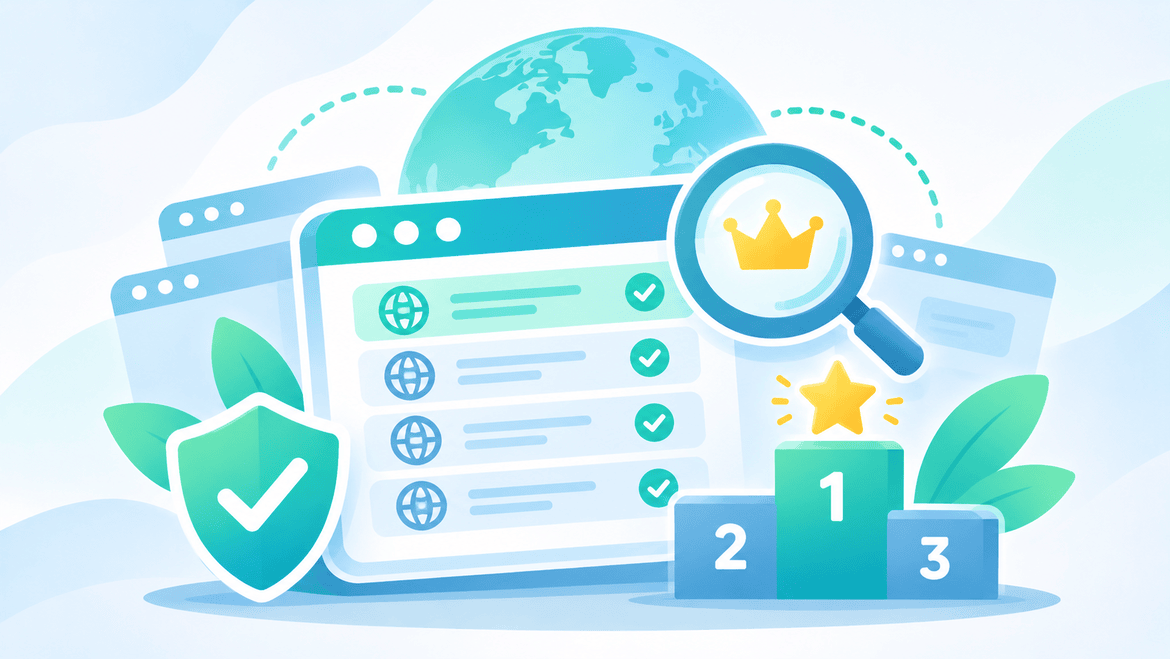
Best Free Web Proxies in 2026: Quick Comparison
The best free options depend on your intended use. A browser based service is convenient for opening individual websites, whereas a public IP directory is more appropriate for technical testing and application configuration.
Here is a comparison of five services worth considering.
Service | Main features | Registration | Suitable use |
|---|---|---|---|
BrowserProxy | Isolated website sessions, browser based access, video support | No account | Everyday website access |
CroxyProxy | Video and audio compatibility, mobile support | Free version available | General browsing and streaming |
ProxySite | Advertised US and European locations, SSL connection | Free browser access | Casual browsing |
Proxyium | Selectable locations, browser based interface | No software installation | Location based testing |
hide.me Web Proxy | Three selectable locations, page options | No account | Casual browsing |
These services have different technical approaches and limitations. The comparison is based on their publicly described features, not a controlled independent speed or security test.
Best Free Proxy Sites at a Glance
BrowserProxy: Designed for simple browser access without an account, extension or software installation. It advertises isolated website sessions, WebRTC and WebSocket leak protection, and video playback support. Its server side approach is particularly useful when you want to open a website without manually configuring your device.
CroxyProxy: Focuses on compatibility with modern websites and advertises video and audio playback. It also supports mobile browsers.
ProxySite: Offers a familiar URL input and advertises US and European server options, together with SSL protection.
Proxyium: Provides a browser interface and advertises selectable locations, including options in Europe, the United States and Singapore.
hide.me Web Proxy: Offers a browser based service with three advertised locations: Germany, the Netherlands and Finland. It also provides options for handling page elements and cookies.
Comparing Free Proxy Providers and Their Features
A large number of available IP addresses does not automatically make a service better. Evaluate the features that actually matter to your intended use.
Ease of use: Can you enter a URL and open a website immediately?
Compatibility: Does the service support modern pages, scripts, images and video?
Server locations: Can you select a location that meets your requirements?
Privacy: Does the provider explain its collection and retention practices?
Performance: Are there bandwidth restrictions, high latency or connection limits?
Transparency: Are the limitations and terms of use clearly documented?
For straightforward browsing, BrowserProxy.io is worth considering because it combines a simple interface with separately isolated website sessions. Its approach is particularly useful for people who do not want to manage individual server addresses or configure their browser manually.
The Best Free Web Proxies and Proxy Sites
BrowserProxy is our recommended choice for everyday browser based access, while CroxyProxy, ProxySite, Proxyium and hide.me offer alternatives with different features, locations and compatibility depending on your needs and browsing requirements.
1. BrowserProxy
BrowserProxy is designed for people who want to open websites through an intermediary without installing software, adding an extension or creating an account.
You enter a website address, and BrowserProxy retrieves the requested page through its infrastructure before returning the content to your browser. Its approach is different from a conventional public list of individual IP addresses because you do not need to configure each connection manually.
Its advertised features include:
No account or browser extension required.
Website requests routed through its servers.
Separate, isolated sessions for individual websites.
WebRTC and WebSocket leak protection.
Support for YouTube and most video players.
Session cookies held in server memory rather than written to disk.
Automatic session and cookie deletion after the stated inactivity period.
An especially useful feature is its isolated session design. According to the service, each website operates in its own sandbox, helping prevent one website from accessing another site's cookies or storage.
BrowserProxy also publishes information about its logging practices. Its website states that it records the requested site and path, status code, response size and timing, but does not log query strings, form data or cookie values.
There are limitations. The service supports standard web ports 80 and 443, applies per visitor request and bandwidth limits, and may not work with websites that rely on unsupported live connections. Some websites also block shared server addresses.
Best for: People who want convenient browser based access without manual configuration, account registration or additional software.
You can explore the BrowserProxy features to see how its service works.
2. CroxyProxy
CroxyProxy is a browser based service that advertises compatibility with modern websites and web applications. It is particularly relevant for people interested in video and audio playback through an intermediary.
Its advertised features include:
Browser based website access.
Video and audio playback support.
Compatibility with mobile browsers.
A shareable link feature.
Encrypted connections to the service.
A basic free version.
Its compatibility claims make it an option for general browsing and supported streaming platforms. However, encryption between a user and a provider does not automatically establish that all browsing information is private.
Best for: Casual browsing and accessing supported video websites.
3. ProxySite
ProxySite provides a straightforward interface for opening websites through an intermediary. It advertises SSL connections and US and European server options.
Its advertised features include:
Browser based access.
US and European locations.
SSL protection.
Access to supported social and video websites.
No separate application configuration.
It may suit users who want a simple interface rather than a technical configuration process. However, a provider's advertised encryption should not be confused with a guarantee of complete anonymity.
Best for: Casual browsing and accessing supported websites through a familiar browser interface.
4. Proxyium
Proxyium provides a browser based interface where users can enter a website address or search query.
Its advertised features include:
Selectable server locations.
Browser based access.
No additional software installation.
Support for popular websites.
A simple URL input.
Advertised encrypted browsing traffic.
Location selection can be useful when testing regional website behaviour. However, choosing a country does not guarantee access to every geographically restricted website.
Best for: Users who want to test websites through different advertised locations.
5. hide.me Web Proxy
hide.me offers a free browser based service alongside its VPN products. Its web proxy is designed for casual browsing without requiring a separate application.
Its advertised features include:
Germany, the Netherlands and Finland as selectable locations.
Page and URL options.
Cookie controls.
Options to remove scripts or objects.
Browser based access.
IP masking for websites accessed through the service.
The provider also distinguishes its web proxy from its VPN service. The browser tool handles website requests, while a VPN can route traffic from multiple applications through an encrypted connection.
Best for: Casual browsing and users who want selectable locations from an established privacy provider.
Free Proxy List at a Glance: Proxy Lists, IPs and Server Locations
A free proxy list is different from a browser based service. Instead of entering a website address into a dedicated interface, you receive individual server addresses, usually consisting of an IP and port.
These entries can be configured in compatible browsers, applications, operating systems or scripts. Depending on the directory, they may include HTTP, HTTPS, SOCKS4 and SOCKS5 connections.
Some directories also display country information, anonymity classifications, latency and the time an address was last tested.
How This Free Proxy List Works
Public directories collect available server addresses and test whether they respond to connection requests. Users can filter the results by country, protocol and other technical characteristics.
Some directories allow entries to be copied or exported in TXT, CSV or JSON formats. Others offer an API for retrieving available addresses programmatically.
A recently tested entry is not necessarily reliable. A server can become unavailable immediately after a check, and its actual performance depends on network conditions and the destination website.
Free Proxy List by Country
Country information can help when testing localized content, checking regional search results or evaluating how a website responds to visitors from different locations. Many public proxy directories let users filter available IP addresses by country, making it easier to find an endpoint that matches a particular regional requirement.
However, country labels are based on IP geolocation databases, not necessarily the physical location of the equipment. According to MaxMind's geolocation accuracy data, its GeoIP products estimate 99.8% accuracy at country level. Accuracy becomes less reliable at more specific levels: its US data estimates approximately 80% accuracy for state or region identification and 66% for city identification within a 50 km radius.
Before selecting an entry, check its protocol, last tested time, latency and anonymity classification. Also consider whether the listed country is suitable for your intended task. An IP address showing a particular country does not guarantee that the proxy server is physically located there.
For additional verification, you can use MaxMind's GeoIP accuracy comparison tool to explore how IP location estimates vary by country and geographic precision.
How to Check Whether a Working Proxy Is Available
Follow these steps before relying on a public endpoint:
Copy the IP address and port.
Confirm whether it supports HTTP, HTTPS or SOCKS.
Configure it in a compatible application.
Visit an IP checking website.
Confirm that the visible address has changed.
Test the destination website.
Repeat the test after a short period.
A connection can be active while the destination website still blocks it. Availability and website compatibility are separate considerations.
Why Free Proxy Servers Stop Working
Public servers can become unavailable when their operators shut them down, hosting arrangements change or network connections fail. Heavy usage can also create congestion.
Other common problems include outdated addresses, incorrect ports, high latency, protocol incompatibility and destination websites blocking known public IPs.
A directory should therefore be treated as a collection of potentially usable endpoints, not a guarantee of continuous availability.
How to Choose the Best Free Proxy for Your Use Case
The right service depends on what you want to accomplish. A browser based option may be sufficient for opening one website, while an individual server address may be more appropriate for testing an application.
Start by defining your use case rather than choosing a service because it advertises the largest number of addresses. This also helps you assess the privacy and security requirements of the connection. The ENISA guide to cybersecurity for small and medium-sized businesses provides useful guidance on evaluating risks and selecting appropriate security measures.
How to Choose a Free Proxy Server
Consider the following factors:
Protocol compatibility: Make sure the connection type is supported by your application.
Location: Check whether the available locations meet your requirements.
Availability: Look for recent connection checks and uptime information.
Latency: High latency can make websites and applications feel slower.
Privacy: Avoid unknown public endpoints for personal or confidential information.
Transparency: Prefer providers that explain their data handling and limitations.
A free proxy server can be useful for short tests, but it may not provide the consistency required for continuous work.
What to Check Before Using Free Proxies
Read the provider's privacy policy before sending browsing requests through its infrastructure. Check whether it collects connection records, stores session information or shares data with third parties.
Also consider whether it uses HTTPS, how it handles cookies and whether its restrictions are clearly documented.
Be cautious of operators that promise complete anonymity without explaining their technical implementation. If a service requires payment details for a supposedly free trial, check the billing terms and cancellation conditions. A service that does not require a credit card required payment step may be easier to try, but that alone says nothing about its security.
How to Hide Your IP Address and Browse Anonymously
A correctly configured proxy can make destination websites see its outgoing IP address rather than your original public address. Your requests pass through an intermediary server, which connects to the destination website on your behalf. The Electronic Frontier Foundation explains how web proxies hide a user's IP address.
However, this does not make you completely anonymous. Websites may still recognise your accounts, cookies and browser characteristics. The W3C's guidance on browser fingerprinting explains how websites can identify or recognise visitors through browser and device settings, even when other tracking methods are restricted. Your internet service provider may also see that you are connecting to an intermediary.
A proxy changes the apparent network origin of routed requests. It does not change your actual location or prevent every form of tracking.
How to Protect Your Privacy When Using a Proxy Site
Follow these precautions:
Avoid entering passwords or payment information through unknown public services.
Use HTTPS websites.
Read the provider's privacy policy.
Avoid installing unverified extensions.
Do not assume that IP masking prevents all tracking.
Use a reputable VPN when you need broader device protection.
Private browsing mode mainly limits information stored locally by your browser. It does not independently hide your public IP address.
Free Proxy Types: HTTP Proxies, SOCKS5 and Residential Proxies
Different connection types serve different purposes. Understanding them can help you select the right technical option.
Free HTTP Proxy vs SOCKS5 Proxies
HTTP proxies are primarily designed for web requests. SOCKS connections operate at a lower network level and can support different types of traffic depending on the application.
Type | Typical use | Important consideration |
|---|---|---|
HTTP | Basic web requests | Does not encrypt traffic by itself |
HTTPS | Web connections using TLS | Protects the connection to the destination |
SOCKS4 | Basic TCP connections | More limited functionality |
SOCKS5 | Applications supporting SOCKS | Supports additional connection and authentication features |
SOCKS5 can be useful when an application needs a flexible intermediary rather than a browser only solution. However, the protocol does not automatically encrypt traffic. Encryption depends on the application and connection.
Can You Find a Free SOCKS5 Proxy?
Yes. Some public directories publish SOCKS5 addresses alongside HTTP and SOCKS4 entries.
A free socks5 proxy may be useful for testing application compatibility or learning how connection configuration works. However, public addresses can be unreliable, shared or blocked.
Check the address, port, protocol and connection status before using it. Avoid sending sensitive information through an unknown endpoint.
Anonymous Proxy vs Public Proxy
An anonymous proxy attempts to conceal the original client address from a destination website. A public proxy is an endpoint that is openly available for other people to use.
These descriptions are not mutually exclusive. A public endpoint may be transparent, anonymous or elite depending on what information it reveals.
The label alone does not establish that the operator respects your privacy.
Free Proxy Server vs Static Residential Proxies
Residential proxies use addresses associated with residential internet connections. Static residential services provide an address that remains assigned to a user for a longer period, depending on the provider.
Public directories often contain hosting, data centre and other network addresses. They should not automatically be treated as residential connections.
Residential services are generally managed products with their own pricing, usage conditions and technical support. A public endpoint is not a direct substitute.
Can Free Proxies Be Used for Web Scraping?
Free connections can sometimes be used for small scale web scraping experiments, but they are rarely dependable for regular or high volume data collection.
A scraper sends automated requests to retrieve information from websites. Public endpoints may help distribute requests, but they can introduce availability problems, blocking, latency and inconsistent results.
Before collecting information, check the destination website's terms, access restrictions and applicable laws.
How Proxy Lists Help a Web Scraper
A proxy directory gives a scraper multiple potential server endpoints. A script can select an IP address, send a request through it and check whether the destination website responds.
This can be useful for testing connections, distributing requests and learning how IP rotation works. For example, Apify's proxy documentation explains how web scrapers can use different IP addresses for individual requests or browser sessions.
However, a large proxy list does not guarantee that its entries are active, reliable or permitted for your intended activity. Always check website access rules and the quality of individual connections.
Free Proxies vs Rotating Proxies
A public proxy directory generally contains individual IP addresses that need to be tested, selected and replaced manually when they stop working.
Rotating proxies automatically change the outgoing IP address according to a defined request or session policy. This can help distribute requests across multiple addresses. Managed services may also offer location targeting, authentication and connection monitoring.
The difference matters when a project requires consistent performance or repeated requests. Apify explains how proxy rotation and session management work, including when to use a different IP for each request and when to keep the same IP throughout a session.
Using a Proxy API for Data Collection
An API allows software to communicate with a provider or data service programmatically. Depending on the provider, it may offer authentication, location selection, usage monitoring and automatic IP rotation.
Some proxy directories also publish downloadable data or API endpoints, but their features vary. Do not assume a public list includes a supported API or guaranteed uptime. Check the provider's documentation before integrating it into a project.
For a practical example, Apify's proxy documentation describes how proxy connections, IP rotation and sessions can be managed within automated data collection workflows.
When Free Proxy Providers Are No Longer Enough
A managed service may be more appropriate when your project requires consistent uptime, automatic rotation, authentication, location targeting, usage controls, technical support or predictable bandwidth.
For occasional testing, a public endpoint may be sufficient. For recurring data collection, a paid plan may provide more control and fewer manual interruptions. The right choice depends on the scale of your project and how much reliability you need.
Web Proxy vs VPN: What's the Difference?
A web proxy and a VPN both act as intermediaries between a user and online resources, but they operate differently.
A browser based service usually handles requests for websites opened through its interface. A VPN can route traffic from multiple applications through a remote server and encrypt that traffic.
According to Mozilla's explanation of the difference between a VPN and a web proxy, a secure web proxy generally provides browser level protection, while a VPN can protect traffic across the device when its connection is enabled. AWS also explains the technical differences between proxy servers and VPNs.
Proxy vs VPN: How Each Service Handles Your IP
Feature | Web proxy | VPN |
|---|---|---|
Hides IP from destination websites | For routed requests | For traffic routed through the VPN |
Covers the entire device | Usually no | Generally yes |
Requires software | Not always | Usually an app or configuration |
Encrypts all device traffic | Not necessarily | Yes, through its tunnel |
Best suited for | Individual website access | Broader connection protection |
A browser based service may be enough when you only need to open one website. A VPN is more suitable when you want to route traffic from multiple applications through an encrypted connection.
Can a Proxy Hide Your IP Address?
Yes. A correctly configured intermediary can replace the address seen by the destination website with its own outgoing address.
However, the protection applies only to traffic that actually passes through it. Other applications may continue using your normal connection.
When Should You Use a VPN?
Use a VPN when you need broader connection protection, especially when connecting through public Wi-Fi or routing traffic from multiple applications.
A VPN encrypts traffic between your device and its server. Depending on the provider, it may also offer a kill switch and DNS leak protection.
How a VPN Encrypts Your Internet Traffic
A VPN creates an encrypted tunnel between your device and its server. Traffic routed through that tunnel is protected while travelling between those two points.
The VPN provider becomes an intermediary, so its reputation and privacy policy remain important.
How a Web Proxy Works
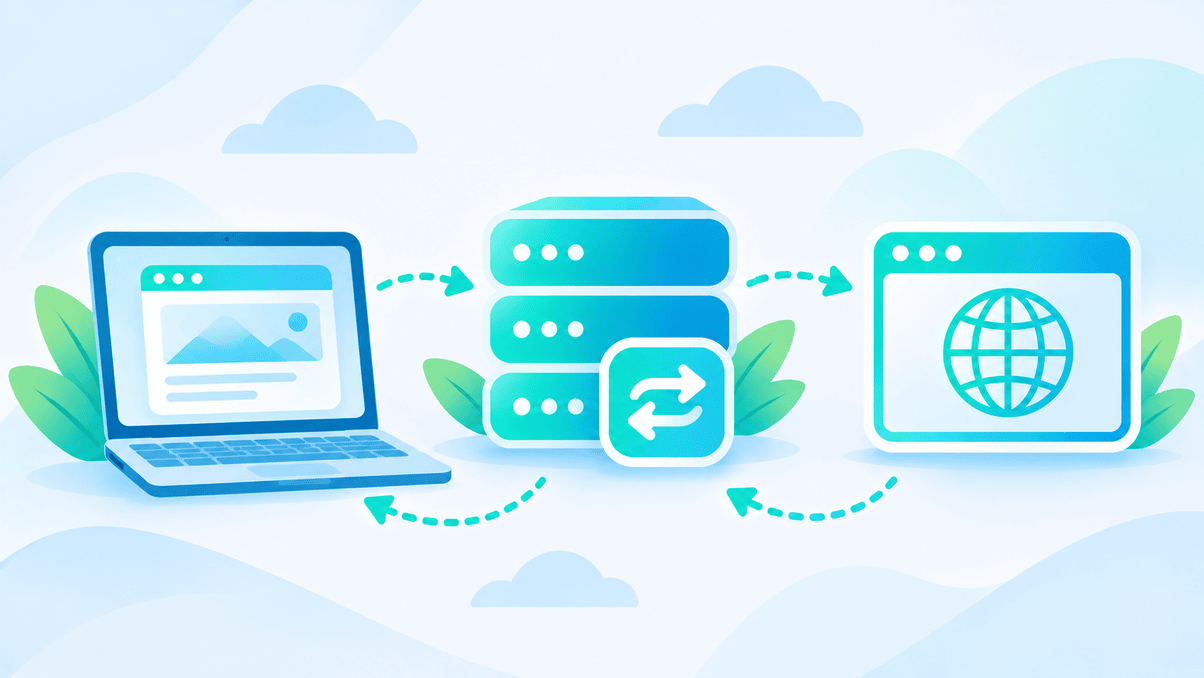
A web proxy receives a request, retrieves the requested content from another website and returns the response.
Instead of connecting directly to the destination, your browser communicates with an intermediary server.
How Proxy Servers Route Website Requests
The process generally follows these steps:
You enter a website address.
Your browser sends the request to the intermediary.
The server connects to the destination website.
The destination returns the requested content.
The intermediary returns the response to your browser.
The destination normally sees the intermediary's outgoing IP for that request rather than your original address.
How a Proxy Site Hides Your Real IP
When the intermediary handles the connection, the destination receives the request from its network.
This means the website sees the intermediary's address rather than the user's original public address. If some resources or connections bypass the service, however, the protection may be incomplete.
What Happens to Your IP Address When Using a Proxy?
Your original IP is not physically changed. Instead, the destination website sees the outgoing address used by the intermediary.
Your internet service provider may still see your connection to that service, and the operator may process information needed to deliver the connection.
A proxy changes the apparent network origin of routed requests. It does not change your real location or guarantee complete anonymity.
Are Free Web Proxies Safe to Use?
Free services require careful evaluation because you are relying on another operator to handle your connection.
Security and privacy depend on the provider's infrastructure, configuration, policies and handling of user information.
Can Free Proxies Protect Your Privacy?
An intermediary can hide your original address from destination websites when requests are correctly routed. Some services also encrypt the connection between your browser and their servers.
However, IP masking is not the same as complete privacy protection.
The operator may still process connection information, and websites may identify users through accounts, cookies or other tracking methods.
Does an Anonymous Proxy Guarantee Anonymous Browsing?
No. An anonymous proxy does not automatically prevent all forms of identification.
A destination website may still recognise your account, browser characteristics or previously stored cookies. The operator may also be able to observe information passing through its infrastructure, depending on the connection and implementation.
Treat anonymity claims cautiously and avoid unknown public services for sensitive activities.
What Does a Proxy Provider's Privacy Policy Tell You?
A privacy policy should explain what information the provider collects, how it uses that information, whether it shares information with third parties and how long records are retained.
Look for explanations of connection logs, IP address collection, browsing records, cookies, session storage, data retention periods and deletion procedures.
A transparent policy is more useful than a vague promise of complete anonymity.
Why You Should Use HTTPS
HTTPS encrypts information exchanged between your browser and a website, helping protect it while it travels across the network.
However, HTTPS does not make an untrusted operator trustworthy. A service may still process connection metadata, and its own infrastructure and policies matter.
For sensitive activities, use trusted services and avoid unknown public endpoints.
What Are the Limitations of Free Proxies?
Free connections can be useful for occasional browsing, but they often have practical limitations.
The available server may be shared by many users, the destination may block it, or the connection may become unreliable.
Bandwidth, Latency and Connection Restrictions
Every intermediary introduces another network connection. This can increase latency and affect loading times.
Public servers may also have limited bandwidth, making video streaming or large downloads difficult.
Why Some Blocked Websites Remain Inaccessible
Websites can identify and restrict known public addresses. Some also use account checks, browser verification, regional controls or additional security measures.
Changing the apparent IP does not guarantee that a website will allow access.
When Free Proxies Are Not the Right Choice
Avoid relying on an unknown public endpoint for banking, payment processing, confidential business information or other sensitive activities.
A free service may be suitable for basic experiments, but it may not provide the reliability, support or privacy assurances required for important work.
Frequently Asked Questions About Free Proxies
What Are the Top 10 Web Proxies?
There is no universal top ten because services offer different features and limitations. Browser based options worth researching include BrowserProxy, CroxyProxy, ProxySite, Proxyium and hide.me Web Proxy. Other providers may suit specific requirements such as video compatibility, location selection or manual configuration. Compare their current features, privacy policies and restrictions before deciding which service is appropriate. A service that works well for casual browsing may not be suitable for automated tasks or sensitive information.
What Are the Top 10 Free Proxy Servers?
Free addresses are available through public directories and community maintained lists. These may include HTTP, HTTPS, SOCKS4 and SOCKS5 endpoints. Their entries change frequently, and a large directory does not mean every address is currently working. Check the last tested time, protocol, country and latency before using an address. If you need consistent availability, a managed service may be more appropriate than relying on a random public endpoint.
Are Free Web Proxies Safe to Use?
Safety depends on the provider and how you use the service. A reputable browser based option may offer encrypted connections and explain its data handling practices, but an unknown public endpoint can introduce privacy risks. Do not enter passwords, payment details or confidential information through an untrusted service. Review the privacy policy and understand what information is collected. An intermediary can mask your address from a destination website, but that does not guarantee complete anonymity or protect every application on your device.
Can I Find a Free SOCKS5 Proxy?
Yes. Some public directories publish SOCKS5 addresses alongside HTTP and SOCKS4 entries. You can filter a directory by protocol and test individual addresses before using them. Remember that SOCKS5 does not automatically encrypt traffic. Public endpoints may be unstable, shared or blocked by destination websites, so they are best suited to limited testing rather than sensitive or continuous activity.
Can Free Proxies Be Used for Web Scraping?
They can be used for small scale experiments, but their reliability is unpredictable. Public addresses may become unavailable, experience high latency or be blocked by websites. A scraper also needs to handle failed requests, timeouts and changes in available endpoints. For recurring data collection, a managed provider with documented usage limits, authentication and support is generally more suitable. Always respect website terms, access restrictions and applicable laws when collecting information.
How Do I Use a Free Web Proxy Without Installing Software?
Choose a browser based service, open its website and enter the URL you want to visit. The service retrieves the requested page through its own infrastructure and returns it to your browser. You do not normally need to change your device's network settings or install an extension. Check the provider's privacy policy and limitations before using it. BrowserProxy, for example, offers a browser based interface that does not require an account or software installation.
Can I Use Free Proxies Instead of a VPN?
It depends on what you need. A web proxy can route individual website requests through an intermediary and hide your original IP from the destination. A VPN can route traffic from multiple applications through an encrypted tunnel. If you only need to open one website, a browser based service may be sufficient. If you want broader protection for your device, especially on public Wi-Fi, use a reputable VPN instead.
Can a Proxy Hide My Real IP Address?
A correctly configured intermediary can hide your original public address from the destination website by using its own outgoing IP. However, the operator may still process connection information, and your internet provider can generally see that you are connecting to the service. Other applications may also continue connecting directly. A proxy changes the apparent address for routed requests, not your actual network address or physical location.
Why Do Free Proxy Servers Stop Working?
Public servers may stop working because the operator shuts them down, the hosting provider changes network access or the endpoint becomes overloaded. Destination websites can also block public addresses. Check the protocol, port, last tested time and connection status. If the endpoint remains unavailable, try another recently checked entry. Public directories are constantly changing, so no individual address should be assumed to work indefinitely.
Conclusion: Choosing the Best Free Web Proxy in 2026
The best free service depends on your requirements. Browser based options are convenient when you want to open a website without configuring your device, while public directories are more appropriate for technical testing and compatible applications.
For straightforward browser access, BrowserProxy offers a simple interface without account registration or software installation. Its isolated website sessions, server side browsing and clearly documented service limitations make it a strong option to consider for everyday browser based access.
CroxyProxy focuses on compatibility with modern websites and video playback, ProxySite provides a familiar browser experience, Proxyium offers selectable locations, and hide.me provides additional page and privacy options.
If you need individual addresses, protocol choices or tools for development, public directories can help you explore available endpoints. For more demanding work, managed services may offer better reliability and support.
Before choosing a service, consider its privacy policy, server locations, connection restrictions and intended use. Free services can be useful tools, but they are not all equally reliable, and none should automatically be trusted with sensitive information.
Ultimately, choose a service that matches the task rather than simply selecting the largest directory or the provider making the biggest promises.